Master Options File or CAD Tool Translator Issue
Printed From: PCB Libraries Forum
Category: PCB Footprint Expert
Forum Name: Questions & Answers
Forum Description: issues and technical support
URL: https://www.PCBLibraries.com/forum/forum_posts.asp?TID=3637
Printed Date: 08 Jun 2026 at 7:47am
Topic: Master Options File or CAD Tool Translator Issue
Posted By: Nick B
Subject: Master Options File or CAD Tool Translator Issue
Date Posted: 16 Apr 2026 at 5:24pm
If you experience one of these issues:
It is probably because you are using the same OPT options file as both your "CAD tool translator" OPT file and "Master Options" file. These two are separate files. As a matter of fact, there are three OPT option files: 1. Console Options - edit in Tools > Options 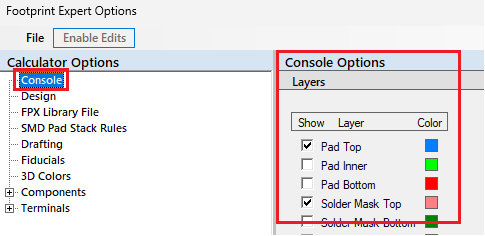 2. Master Options - edit in Tools > Options 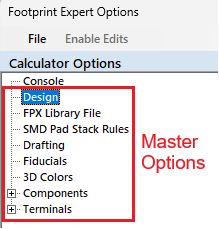 3. CAD Tool Options - edit in the "Build Footprint" window 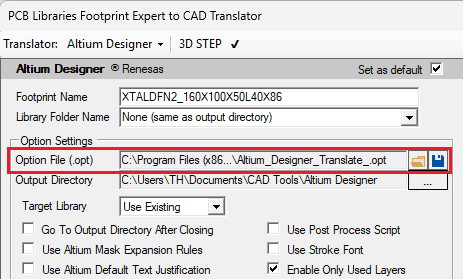 ------------- Stay connected - follow us! https://twitter.com/PCBLibraries" rel="nofollow - X - http://www.linkedin.com/company/pcb-libraries-inc-/" rel="nofollow - LinkedIn |